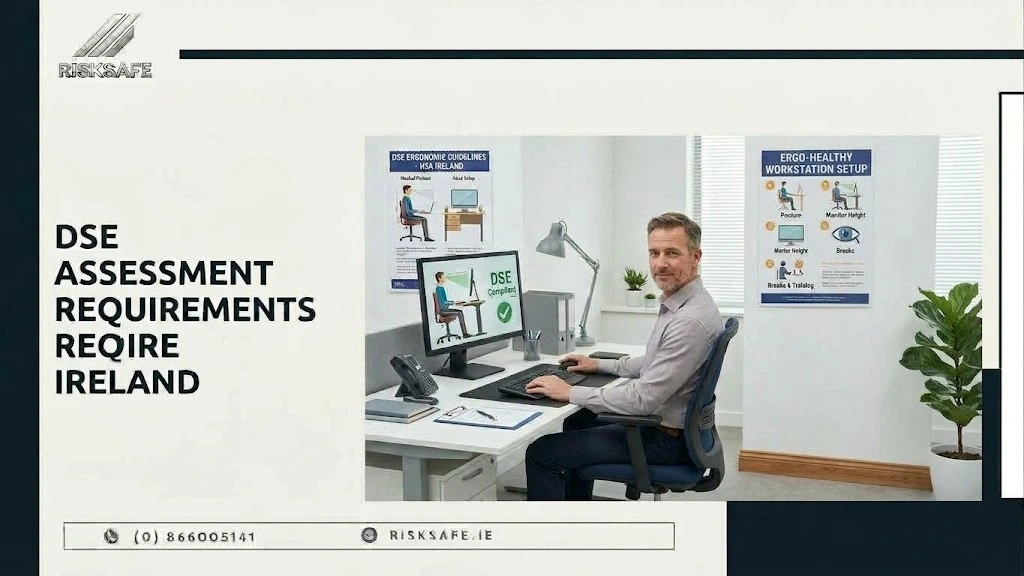
A new employee receives a laptop, monitor and adjustable chair. Six months later, the laptop is the main screen, files occupy the desk and the employee works from a kitchen table twice a week. The equipment list looks acceptable, but the working arrangement has changed.
This is where DSE assessment requirements Ireland become practical. Employers must understand how screen work is organised and whether the arrangement may affect eyesight, physical comfort or mental stress.
This guide explains employer responsibilities, DSE and VDU terminology, competent assessment and remote worker DSE assessment Ireland arrangements.
What Is DSE and Is It Different From VDU?
DSE means display screen equipment. Under the General Application Regulations, it broadly refers to an alphanumeric or graphic display screen, regardless of the display process. In modern workplaces this commonly includes desktop monitors and laptop screens used as a significant part of an employee’s normal work.
VDU means visual display unit. The term remains common in workplace policies and employee searches, which is why businesses frequently look for VDU assessment requirements Ireland. In everyday safety management, DSE assessment and VDU assessment usually describe the same workstation risk-management process.
The workstation can include the keyboard, mouse, software, desk, chair, accessories and immediate environment. Checking only monitor height misses important parts of the employee’s exposure.
What Are the Main DSE Assessment Requirements Ireland Employers Must Address?
Chapter 5 of Part 2 of the Safety, Health and Welfare at Work (General Application) Regulations 2007 sets out employer duties relating to display screen equipment.
Where the requirements apply, employers should:
- Analyse or assess employee workstations.
- Evaluate possible risks to eyesight, physical health and mental stress.
- Take appropriate measures to remedy risks identified.
- Consider the minimum workstation requirements in Schedule 4.
- Provide employees with information about the measures implemented.
- Provide training before display screen work begins and when the workstation is substantially modified.
- Plan work so that screen activity is periodically interrupted by breaks or changes of activity.
- Provide access to appropriate eye and eyesight testing.
- Carry out a further assessment after relevant workstation, equipment or technology changes.
These DSE assessment requirements Ireland are about the complete system of work. Buying adjustable furniture does not prove compliance if the employee cannot adjust it, the layout forces poor posture or actions identified during the assessment remain unfinished.
Who Needs a DSE Risk Assessment Ireland?
The regulations refer to an employee who habitually uses display screen equipment as a significant part of normal work. This commonly captures employees whose work is regularly organised around computer-based tasks rather than someone who looks at a screen only occasionally.
Some situations are excluded, including equipment mainly intended for public use and portable equipment not used for prolonged periods at a workstation. “Portable” does not automatically mean exempt: a laptop used throughout the day can form the centre of a workstation.
A DSE risk assessment Ireland process should begin by identifying relevant users and every regular location in which they work. That might include the main office, a home workstation or an agreed remote-working hub.
Who Should Carry Out the Assessment?
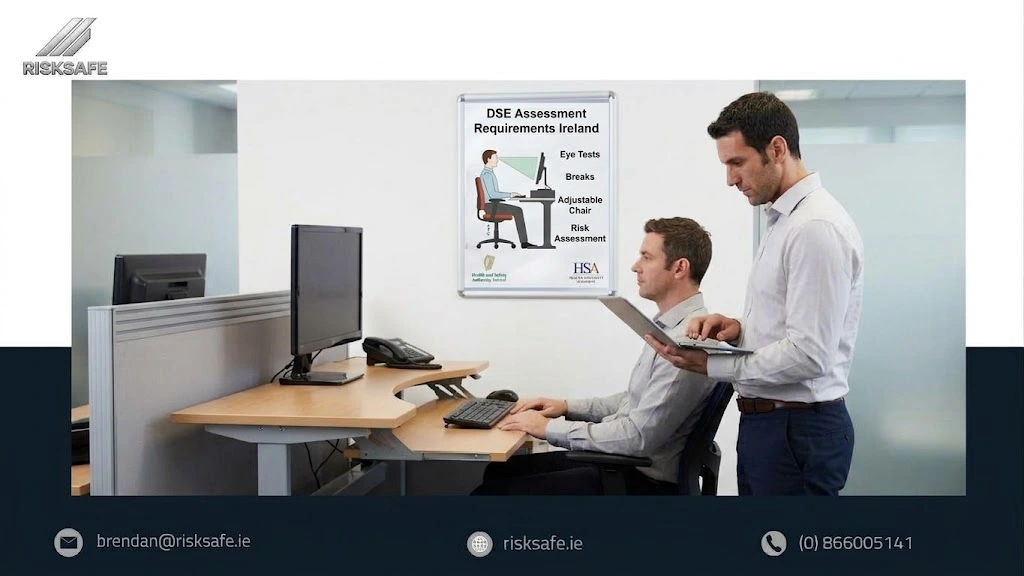
The Health and Safety Authority states that a competent person should complete the assessment. The assessor needs sufficient training, experience and knowledge and may be an appropriately trained internal employee or external specialist.
An employee should be consulted and involved, but asking the employee to complete a software questionnaire is not enough by itself. The employer remains responsible for ensuring that a suitable assessment is completed and that necessary actions are implemented.
The official HSA Display Screen Equipment guidance explains the assessment process, employee consultation, action planning and follow-up.
A Practical Workstation Assessment Ireland Process
A useful workstation assessment Ireland should follow the employee’s real working day rather than treat the workstation as a photograph.
1. Consult the Employee
Ask about tasks, time at the screen, different locations, discomfort and visual difficulties. Employees may reveal problems not visible during a quick inspection, such as changing glare.
2. Observe the Work
Observe how the employee uses the chair, desk, screen, keyboard and mouse, along with the available space, lighting and environment. Consider work organisation, not only equipment.
3. Compare the Arrangement With Schedule 4
Schedule 4 covers the screen, keyboard, desk, chair, space, lighting, reflections, noise, heat, humidity and computer interface. Apply the relevant requirements alongside the nature of the work.
4. Record Problems and Actions
Record what needs attention, the action required, who is responsible and the deadline. Advice to “sit correctly” cannot fix unsuitable furniture, restricted legroom or glare.
5. Confirm That Actions Worked
Follow up required improvements and confirm that they addressed the problem. The assessment can then be signed off and copied to the employee.
What Should a DSE Assessment Examine?
A proper assessment brings several factors together:
| Area | Questions to consider |
| Screen | Is the image clear, stable, readable and positioned to avoid awkward viewing? |
| Keyboard and mouse | Can they be used without excessive reaching or sustained awkward wrist positions? |
| Chair | Is it stable, adjustable and suitable for the user and work performed? |
| Desk | Is there enough space for equipment, documents and comfortable movement? |
| Layout | Can frequently used items be reached without repeated twisting or stretching? |
| Environment | Are lighting, glare, reflections, temperature, noise and available space suitable? |
| Work organisation | Are screen demands, workload, breaks and changes of activity considered? |
| Software | Is the interface suitable for the task and reasonably easy to use? |
The solution should match the finding. Improvements might involve adjusting existing equipment, changing the layout, providing a separate keyboard or mouse, managing glare, adding a document holder or footrest, varying tasks or replacing unsuitable furniture.
Remote Worker DSE Assessment Ireland
Hybrid work does not transfer the employer’s responsibility to the employee. The HSA describes a remote work assessment as one completed by a competent and trained assessor for the employee’s identified workplace. It considers the work activity, hazards and the need to monitor, review and communicate.
A remote worker DSE assessment Ireland may use video consultation, measurements, photographs and structured discussion, but must still provide enough reliable information to evaluate the arrangement.
Important questions include:
- Is the employee using a defined workstation or temporary surfaces?
- Is separate laptop equipment required?
- Does the employee have a suitable chair and sufficient working space?
- Are lighting, glare, noise and temperature reasonably controlled?
- Has the employee received instructions on setup, adjustment and reporting discomfort?
A remote worker DSE assessment Ireland should also be reviewed when the working location or equipment changes. A questionnaire can support information gathering, but it should not be treated as the complete employer assessment.
Breaks and Changes of Activity
Irish regulations require daily screen work to be periodically interrupted by breaks or changes of activity that reduce the screen workload. They do not prescribe one universal break duration and frequency for every role.
The HSA advises that, in general, no continuous period of screen work should exceed one hour. Short, frequent breaks or task changes are generally preferable and should occur before fatigue develops.
A DSE risk assessment Ireland should therefore examine whether the way work is scheduled permits recovery. Telling employees to take breaks is unlikely to be effective if workload, staffing or performance expectations make those breaks unrealistic.
Eye and Eyesight Tests
Employers must inform relevant employees that appropriate eye and eyesight testing is available. Tests should be made available before commencing habitual display screen work, at regular intervals and where an employee experiences visual difficulties that may be related to screen work.
Employees who habitually use a VDU as a significant part of normal work can opt for an appropriate employer-paid test. Where particular corrective lenses are required specifically for screen work, additional obligations may apply.
Eye testing does not replace a workstation assessment Ireland. Glare, screen position, lighting and prolonged work may also cause discomfort.
When Should a DSE Assessment Be Reviewed?
The assessment should not be treated as permanent. A further analysis is required when an employee transfers to a new workstation or when significant new equipment, equipment changes or new technology is introduced.
Review may also be appropriate when:
- The workstation is substantially reorganised.
- The employee begins regular remote or hybrid work.
- Discomfort or visual difficulty is reported.
- Furniture, screens or input devices are replaced.
- Workload or screen-based tasks change significantly.
- Agreed corrective actions do not solve the problem.
These triggers are more meaningful than assigning an arbitrary expiry date to every assessment.
Documentation and Follow-Up
A documented assessment should summarise tasks, relevant Schedule 4 factors and outstanding issues. Record responsible people, actions and deadlines, and provide a copy to the employee.
DSE records should connect with the wider safety system. RiskSafe’s guide to risk assessment vs Safety Statement explains how these documents perform connected functions.
Common DSE Compliance Gaps
Common weaknesses include:
- Relying entirely on employee self-assessment.
- Assessing the office but ignoring regular home working.
- Using a generic checklist without observing actual work.
- Recording problems but not completing the action plan.
- Treating every laptop as exempt because it is portable.
- Failing to reassess after equipment or location changes.
- Providing furniture without explaining adjustment and use.
- Having no communicated procedure for eye and eyesight tests.
- Advising breaks while workload makes them impractical.
Businesses can use RiskSafe’s HSA inspection checklist to review whether risk assessments, training records, corrective actions and other workplace documents are organised and current.
How a Wider Workplace Audit Can Help
A DSE assessment focuses on the workstation and screen-related work. A health and safety audit examines the wider system, including assessments, training, responsibilities and implementation of controls.
RiskSafe provides Health and Safety Audits Dublin for offices and other workplaces. An audit may identify gaps in DSE arrangements or action tracking, but it should not be presented as a replacement for an individual competent workstation assessment.
Frequently Asked Questions
-
Are DSE and VDU Assessments the Same?
The terms are commonly used for the same process. DSE is the broader modern term, while VDU remains widely used in workplace policies and searches.
-
Can Employees Complete Their Own Assessments?
Employees should participate, but a self-assessment form or software tool alone is insufficient. The employer must ensure a competent person completes the assessment.
-
Do DSE Assessment Requirements Ireland Apply to Remote Workers?
They can apply where an employee habitually uses display screen equipment as a significant part of normal work at an identified remote workstation.
-
How Often Is a DSE Assessment Required?
There is no universal annual expiry. Reassessment is required after specified workstation or equipment changes and should occur when circumstances indicate the existing assessment may no longer be suitable.
-
Must Employers Provide DSE Eye Tests?
Relevant employees must be informed that appropriate eye and eyesight tests are available, including before habitual screen work, at intervals and after related visual difficulties.
-
Is Buying an Ergonomic Chair Enough?
No. Suitability depends on the employee, tasks, adjustment, desk, equipment, environment and work organisation. Identified actions must also be implemented and reviewed.
Make the Workstation Match the Work
Effective DSE assessment requirements Ireland are not satisfied by a checklist sent once during onboarding. They require consultation, competent assessment, practical improvements, employee information and review as equipment and work locations change.
RiskSafe helps Dublin organisations review their wider health and safety systems through practical workplace audits. If you need to examine whether risk assessments, responsibilities, training records and corrective actions are being managed effectively, contact RiskSafe to discuss your workplace and request a tailored audit quotation.